Secure Computing SG570 Instrukcja Użytkownika Strona 91: ACL (Access Control List)
 1
 2
 3
 4
 5
 6
 7
 8
 9
 10
 11
 12
 13
 14
 15
 16
 17
 18
 19
 20
 21
 22
 23
 24
 25
 26
 27
 28
 29
 30
 31
 32
 33
 34
 35
 36
 37
 38
 39
 40
 41
 42
 43
 44
 45
 46
 47
 48
 49
 50
 51
 52
 53
 54
 55
 56
 57
 58
 59
 60
 61
 62
 63
 64
 65
 66
 67
 68
 69
 70
 71
 72
 73
 74
 75
 76
 77
 78
 79
 80
 81
 82
 83
 84
 85
 86
 87
 88
 89
 90
 91
 92
 93
 94
 95
 96
 97
 98
 99
 100
 101
 102
 103
 104
 105
 106
 107
 108
 109
 110
 111
 112
 113
 114
 115
 116
 117
 118
 119
 120
 121
 122
 123
 124
 125
 126
 127
 128
 129
 130
 131
 132
 133
 134
 135
 136
 137
 138
 139
 140
 141
 142
 143
 144
 145
 146
 147
 148
 149
 150
 151
 152
 153
 154
 155
 156
 157
 158
 159
 160
 161
 162
 163
 164
 165
 166
 167
 168
 169
 170
 171
 172
 173
 174
 175
 176
 177
 178
 179
 180
 181
 182
 183
 184
 185
 186
 187
 188
 189
 190
 191
 192
 193
 194
 195
 196
 197
 198
 199
 200
 201
 202
 203
 204
 205
 206
 207
 208
 209
 210
 211
 212
 213
 214
 215
 216
 217
 218
 219
 220
 221
 222
 223
 224
 225
 226
 227
 228
 229
 230
 231
 232
 233
 234
 235
 236
 237
 238
 239
 240
 241
 242
 243
 244
 245
 246
 247
 248
 249
 250
 251
 252
 253
 254
 255
 256
 257
 258
 259
 260
 261
 262
 263
 264
 265
 266
 267
 268
 269
 270
 271
 272
 273
 274
 275
 276
 277
 278
 279
 280
 281
 282
 283
 284
 285
 286
 287
 288
 289
 290
 291
 292
 293
 294
 295
 296
 297
 298
 299
 300
 301
 302
 303
 304
 305
 306
 307
 308
 309
 310
 311
 312
 313
 314
 315
 316
 317
 318
 319
 320
 321
 322
 323
 324
 325
 326
 327
 328
 329
 330
 331
 332
 333
 334
 335
 336
 337
 338
 339
 340
 341

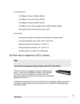
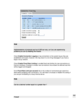
1. Configure the wireless settings on the
Access Point
tab as normal.
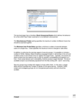
2. Select the WDS tab.
3. Set
Mode
to
Automatic
.
4. Click
Add
and enter the
MAC
of the main Access Point.
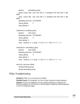
5. Click the
Connections
tab, create a new
Bridge
. Select the Wireless interface,
the LAN interface, and the WDS interface to all be on the bridge.
Mode
This is the mode that WDS is operating in, either Disable or Automatic.
Disable – this disables WDS completely.
Automatic – this enables bridging or repeating as appropriate. If the wireless interface is
unconfigured, then bridging is enabled (wireless clients cannot connect). Otherwise
repeating is enabled.
WPA Key
Specify the WPA preshared key that is used for the WDS link. This key is only used if the
Access Point Security Method is configured for WPA-PSK or WPA-Enterprise. If the
Security Method is set to WEP, then the same WEP Key is used for both the wireless
clients and the WDS link. You cannot enable both WDS and WEP with 802.1X.
Can be exactly 64 hexadecimal characters (0-9, a-b, or A-B)
Can be from 8 to 63 characters of any type
MAC
Specify the MAC address of an Acdess Point to create a WDS link to, and then click the
Add
button. You can create up to 8 WDS links. You can delete a WDS link using the
Delete
icon. You can change the MAC address for a WDS link using the
Modify
icon
fond in the
Connections
tab. Can be Ethernet MAC address of the form
AA:BB:CC:DD:EE:FF
, where each of the components are a hexadecimal digit.
Advanced
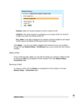
To edit access control list settings, click the
Edit
icon alongside the
Wireless
network
interface; click the
Wireless Configuration
tab, then the
Advanced
tab.
85
Network Setup
Plik PDF · ·
Pytania o Secure Computing SG570
Nie ma jeszcze pytań o tę instrukcję. Zadaj pierwsze.
