Secure Computing SG550 Instrukcja Użytkownika Strona 112: Hostname
 1
 2
 3
 4
 5
 6
 7
 8
 9
 10
 11
 12
 13
 14
 15
 16
 17
 18
 19
 20
 21
 22
 23
 24
 25
 26
 27
 28
 29
 30
 31
 32
 33
 34
 35
 36
 37
 38
 39
 40
 41
 42
 43
 44
 45
 46
 47
 48
 49
 50
 51
 52
 53
 54
 55
 56
 57
 58
 59
 60
 61
 62
 63
 64
 65
 66
 67
 68
 69
 70
 71
 72
 73
 74
 75
 76
 77
 78
 79
 80
 81
 82
 83
 84
 85
 86
 87
 88
 89
 90
 91
 92
 93
 94
 95
 96
 97
 98
 99
 100
 101
 102
 103
 104
 105
 106
 107
 108
 109
 110
 111
 112
 113
 114
 115
 116
 117
 118
 119
 120
 121
 122
 123
 124
 125
 126
 127
 128
 129
 130
 131
 132
 133
 134
 135
 136
 137
 138
 139
 140
 141
 142
 143
 144
 145
 146
 147
 148
 149
 150
 151
 152
 153
 154
 155
 156
 157
 158
 159
 160
 161
 162
 163
 164
 165
 166
 167
 168
 169
 170
 171
 172
 173
 174
 175
 176
 177
 178
 179
 180
 181
 182
 183
 184
 185
 186
 187
 188
 189
 190
 191
 192
 193
 194
 195
 196
 197
 198
 199
 200
 201
 202
 203
 204
 205
 206
 207
 208
 209
 210
 211
 212
 213
 214
 215
 216
 217
 218
 219
 220
 221
 222
 223
 224
 225
 226
 227
 228
 229
 230
 231
 232
 233
 234
 235
 236
 237
 238
 239
 240
 241
 242
 243
 244
 245
 246
 247
 248
 249
 250
 251
 252
 253
 254
 255
 256
 257
 258
 259
 260
 261
 262
 263
 264
 265
 266
 267
 268
 269
 270
 271
 272
 273
 274
 275
 276
 277
 278
 279
 280
 281
 282
 283
 284
 285
 286
 287
 288
 289
 290
 291
 292
 293
 294
 295
 296
 297

Network Setup
108
access-list local_nets deny any
! Our AS number
router bgp 1
! Our IP address
bgp router-id 192.168.0.1
! Announce our own network to other neighbors
network 192.168.0.0/24
! Advertise all connected routes (directly attached interfaces)
redistribute connected
! Advertise kernel routes (manually inserted routes, IPSec)
redistribute kernel
! Every 'router bgp' block contains a list of neighbors to
which the router is connected:
neighbor 192.168.1.1 remote-as 2
neighbor 192.168.1.1 distribute-list local_nets in
neighbor 10.10.1.1
remote-as 3
neighbor 10.10.1.1
distribute-list local_nets in
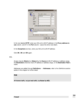
Restart route management to enable the updated configuration – uncheck
Enable route
management
, click
Update
, check
Enable route management
and click
Update
.
If you prefer, you can uncomment the
password
and
enable password
lines, and then
telnet to the relevant ports to configure Zebra and/or ospfd via the command line. The
command line interface is very similar to the Cisco IOS interface. If you are familiar with
this, you may prefer to configure using this method.
System
To configure the SG unit’s network system settings, click the
System
tab on the
Network
Setup
page. These settings control the SG unit’s identity on the network.
Hostname
The
Hostname
is a descriptive name for the SG unit on the network. It is also used as
the SNMP
sysName
field. By default, this is set to the model name of your SG unit, e.g.
SG710
.
If network shares or printers are being shared, this is the computer name that is
displayed when browsing the network from a Windows PC
(SG565 only)
.
Plik PDF · ·
Pytania o Secure Computing SG550
Nie ma jeszcze pytań o tę instrukcję. Zadaj pierwsze.